UI Overview
DAEMON's interface: sidebar, editor, panels, terminal, and status bar.
Layout#
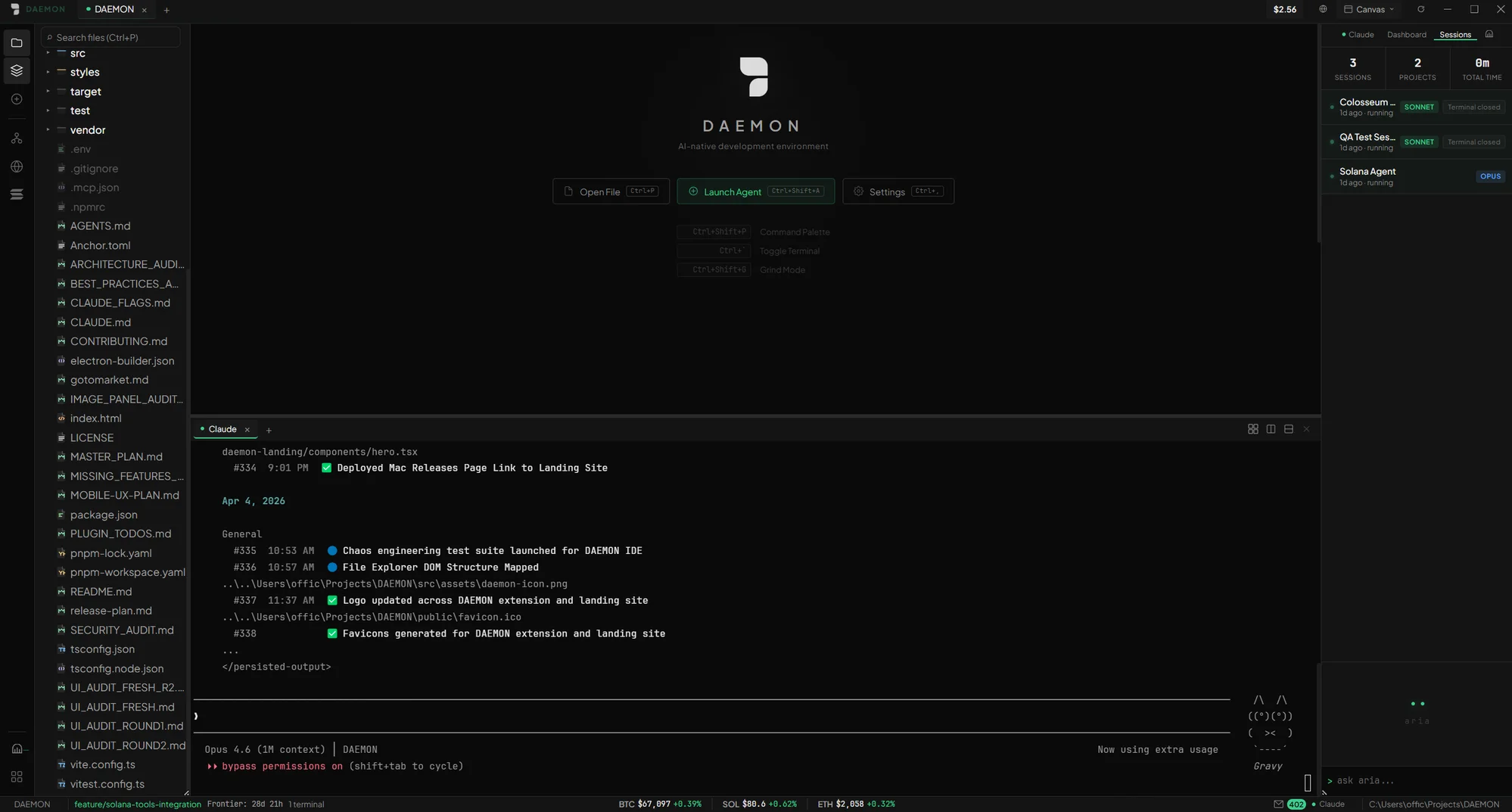
Left Sidebar#
The sidebar provides icon-based navigation for all major panels. Since v4.3 it is dynamic: icons appear and disappear as you toggle capability packs.
F - Files
File explorer and project tree
S - Search
Full-text search across your project
G - Git
Visual git interface (branch, commit, push)
T - Terminal
Terminal session manager
W - Wallet
Solana wallet and token dashboard
Center Area#
The center area contains the Monaco editor with tabbed navigation. Two tabs are permanently pinned:
- Browser with built-in security sandbox for previewing your app
- Dashboard with real-time token price, holders, and charts
Right Panel: DAEMON Console#
The right rail hosts the DAEMON Console, the chat-first home of ARIA, the operator agent. Toggle it with Ctrl+B, or move it to the bottom panel beside the terminal.
- Console - per-project chat sessions with ARIA, slash commands, and the model lane dropdown
- Dashboard for quick access to token metrics
- Sessions to view and manage active agent sessions
Bottom Terminal#
A full xterm.js terminal powered by real PTY sessions via node-pty:
- Multiple terminal tabs
- Split panes (horizontal and vertical)
- Per-project terminal sessions
- Command history with
Ctrl+R - Tab completion
- Search with
Ctrl+Shift+F
Status Bar#
Runs along the bottom and displays the current git branch, market ticker (live token prices), and wallet balance (SOL + USD value).